



Making Tax Digital for VAT
With Acting Office, managing VAT has never been more straightforward. Our MTD-compliant software is designed to help accountants and businesses effortlessly meet HMRC's Making Tax Digital requirements.
From maintaining digital records to submitting VAT returns directly to HMRC, Acting Office provides all the tools you need to stay organised, compliant, and in control thus, saving time, reducing risk, and streamlining workflow.
Making Tax Digital
Since 1 April 2022, all VAT-registered businesses in the UK regardless of turnover are required to follow the Making Tax Digital (MTD) rules. This initiative by HMRC aims to modernise the tax system by mandating the use of digital records and MTD-compliant software for VAT submissions.
Why Enable MTD Through Acting Office?
- HMRC recognised and fully MTD-Compliant
- Direct VAT returns submission to HMRC
- Real-time digital record keeping
- Generate accurate VAT Reports
- Set deadline reminders and task management
Setting up MTD in the platform
Our intuitive MTD enablement process has been designed with accountants and businesses in mind. Get started in just a few quick steps:

Access VAT Return Section
Navigate to the Bookkeeping Module, select your client, & open the VAT return section.

Update VAT Details
Click the Edit icon near VAT details to input or modify the necessary information.

Enable MTD
Click the 'Enable MTD' button located on the left side of the VAT return screen.

Redirect to HMRC
You'll be redirected to the official HMRC website. Click 'Continue' to proceed.

Sign in to HMRC
On the “What You'll Need” screen, click 'Sign in to HMRC online services'.

Enter Credentials
Use your VAT online account User ID and Password to log in.

Grant Permission
Click 'Give Permission' to authorise Acting Office to interact with HMRC on your behalf.

Confirmation
Once authorised, a green tick mark will appear on the VAT return screen—confirming MTD has been successfully enabled.
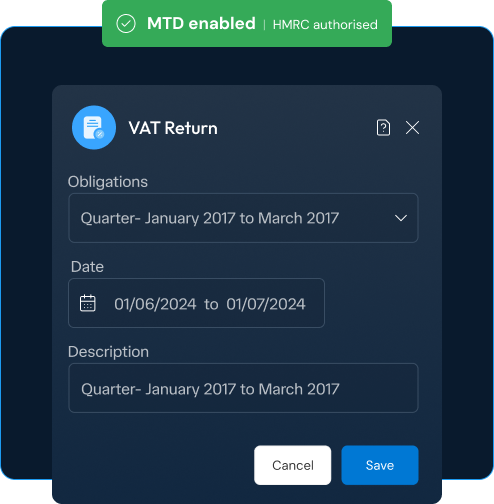
Auto-Fetch VAT Obligations
With Acting Office, managing VAT has never been more straightforward. Our MTD-compliant software is designed to help accountants and businesses effortlessly meet HMRC's Making Tax Digital requirements. From maintaining digital records to submitting VAT returns directly to HMRC, Acting Office provides all the tools you need to stay organised, compliant, and in control thus, saving time, reducing risk, and streamlining workflow.
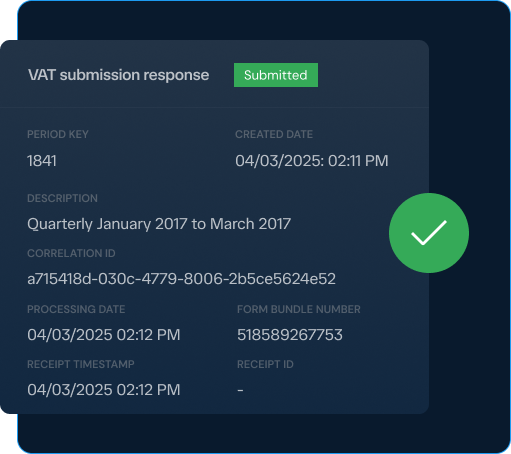
Submission Responses & Tracking
Wondering if your return went through? No need. Acting Office generates detailed submission responses, presenting essential information in a clear and concise format including the status of each VAT return.

Not just another tool - your firm's unfair advantage.
Acting Office makes staying competitive effortless.
© Copyright 2026 Acting Office Limited - All Rights Reserved